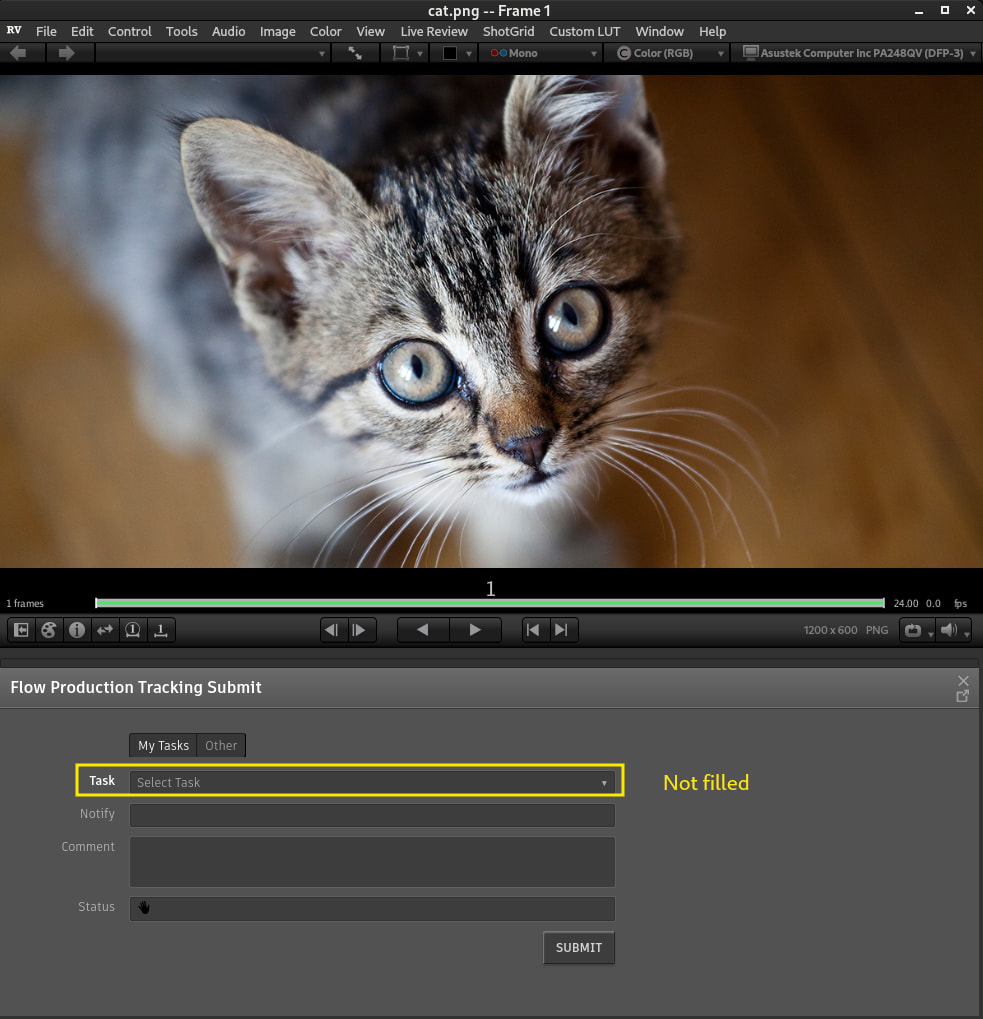
Hey @sbissonnette thank you for reaching out. My name is Tommy I am the Senior PM for review including RV at Autodesk. To help answer your question. The Submit tool isn’t a native RV form — it’s a web page served by your ShotGrid / Flow Production Tracking site (/page/review_app_submit), loaded inside an embedded web view. The urlArgs you pass are simply appended as URL query-string parameters to that page. RV forwards them untouched; the page decides what to do with them. That’s why you won’t find a list of valid keys in the .mu — the accepting side is server-side, and the valid keys track your SG/Flow server version, not your RV version. On the RV side, args are passed straight through as query parameters:
    method: internalLaunchSubmitTool(void; [(string, string)] urlArgs = nil)
    {
        ...
        QUrl desiredUrl = QUrl("/page/review_app_submit");
        QUrlQuery desiredUrlQuery = QUrlQuery();
        for_each(urlArg; urlArgs) {
            desiredUrlQuery.addQueryItem(urlArg._0, urlArg._1);
        }
        desiredUrl.setQuery(desiredUrlQuery);
Supported urlArgs keys
These are the only query parameters the submit page reads:
| Key |
Type |
Purpose |
task_id |
Entity ID |
Pre-select a Task; entity, step, and project are derived from it |
entity_type |
Entity type string |
Link entity for the Version (e.g. "Shot", "Asset") — must be paired with entity_id |
entity_id |
Entity ID |
ID of the link entity — must be paired with entity_type |
step_id |
Entity ID |
Optional pipeline Step; used with entity_type/entity_id to guess the Task |
project_id |
Entity ID |
Pre-select Project only (when no task and no entity link are given) |
qt_output_path |
File path string |
Where RV should write the exported QuickTime; should be URL-encoded |
There is no support on this page for timeline-only params like version_id or asset_type (those belong to /page/review_app_browser).
Valid combinations
From the Ruby controller logic:
-
No args — empty submit form
Example: internalLaunchSubmitTool();
-
Task context — task_id alone
Example: [("task_id", "12345")]
-
Entity link — entity_type + entity_id, optionally + step_id
Example: [("entity_type", "Shot"), ("entity_id", "678"), ("step_id", "90")]
-
Project only — project_id alone (when task_id and entity_type/entity_id are absent)
Example: [("project_id", "42")]
-
QuickTime path — can be added to any of the above
Example: [("entity_type", "Shot"), ("entity_id", "678"), ("qt_output_path", "/path/to/output.mov")]
(URL-encode the path; the JS side runs decodeURIComponent on it.)
What each arg pre-populates in the form
The server resolves params into a @context hash (task, entity, project, step, qt_output_path), and the JS widget uses that in init_widget() / set_defaults():
task_id → Task, linked entity, and project fieldsentity_type + entity_id → Project (from entity) and link entity; if no task, it queries matching Tasks and picks the best guess (especially when step_id is set)step_id → narrows the Task search when used with entity linkproject_id → Project field onlyqt_output_path → export destination for the generated movie (not a form field)
Example Mu urlArgs values
// Submit linked to a specific Task
[(string, string)] {("task_id", "12345")}

// Submit for a Shot, guessing Task from pipeline step
[(string, string)] {("entity_type", "Shot"), ("entity_id", "678"), ("step_id", "90")}

// Submit with a custom QuickTime output path
[(string, string)] {("entity_type", "Asset"), ("entity_id", "100"), ("qt_output_path", "/tmp/review_output")}
Caveats
The Ruby code itself warns that parameter combinations are flexible and somewhat undocumented — invalid combos can fail silently or behave unexpectedly. In practice:
entity_type and entity_id must be supplied together.step_id only makes sense with entity_type + entity_id.project_id is only used when neither task_id nor entity_type/entity_id are provided.qt_output_path should be URL-encoded when it contains spaces or special characters.
If you’d be up for it we would love to better understand what we can do on our end to optimize the workflow you are trying to achieve.