Hey everyone,
A while back we posted here about launching FlowPilot Studio. We’ve just shipped a new, free part of it called Studio Setup, aimed at the people on this forum who set shows up.
Setting up a show in Flow Production Tracking often means creating a lot of custom fields by hand in Admin, matched by eye against a list that lives in a spreadsheet. Studio Setup’s first tool takes that spreadsheet and creates the fields for you. The reasons you end up with such a list vary. One common one is on-set data: a wrangler hands over an export (often from FileMaker) of slate, lens, camera, shoot day and the rest, and it all has to land in custom fields somewhere. But any CSV or Excel column list works the same way.
It’s free but not open source: a hosted tool you run with your own FPT credentials.
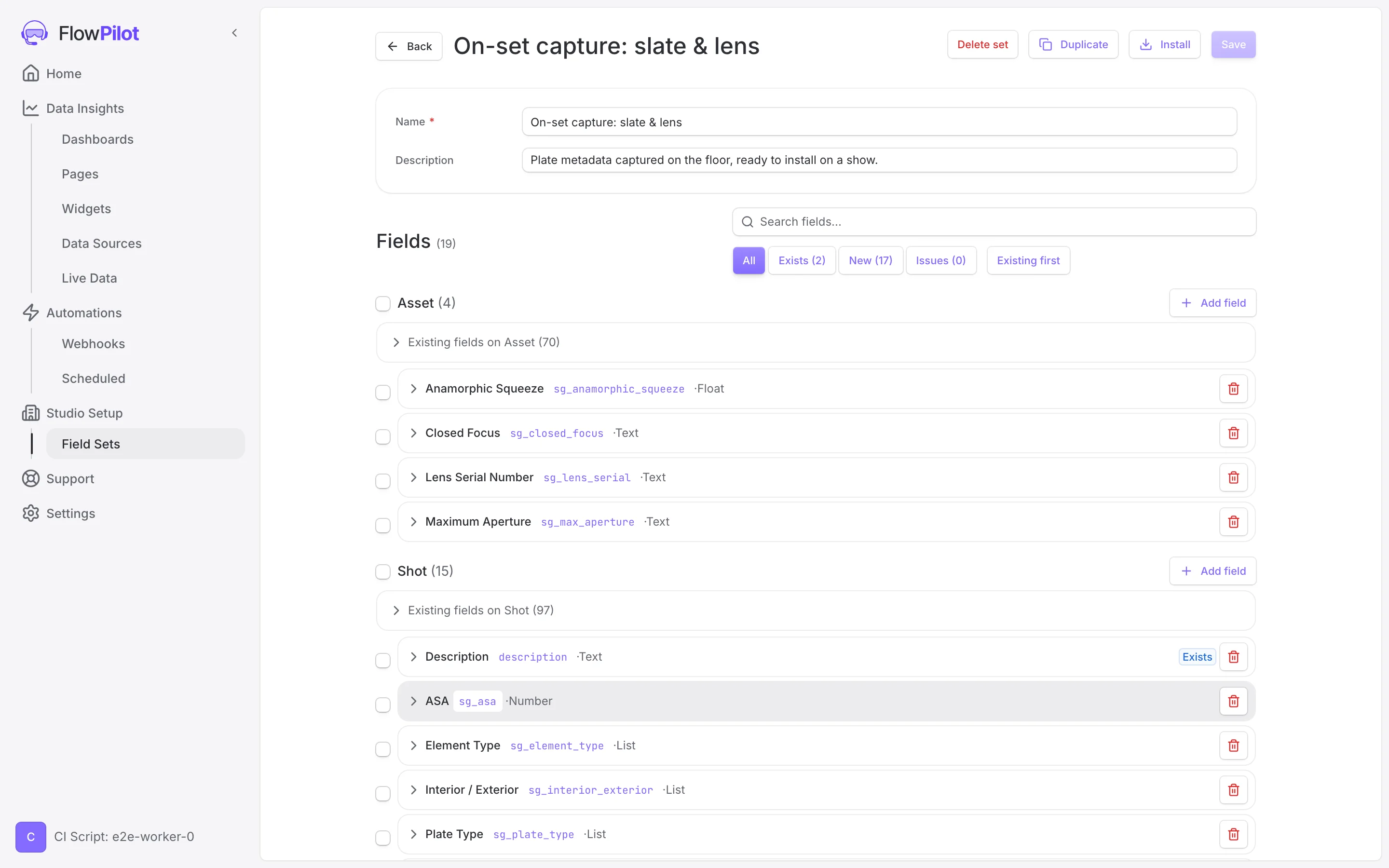 The editor, with your spreadsheet sorted by entity and ready to install.
What it does:
- You upload a CSV or Excel column list. It reads the header row as field names and samples a few data rows to guess each type.
- It matches every column against your live site schema, normalised, by display name first then field code, so “Shoot Day” and sg_shoot_day resolve to the same field and anything you already have is left alone. FileMaker Table::Field headers get split, so Slates::Shoot Day sends Shoot Day to the Slate entity.
- The .xlsx is parsed in your browser, so the file stays on your machine and only the columns you import get sent.
- Before it writes anything it shows a plan: what it will create, what it will update (with a before/after diff), what’s already installed, and the ones FPT locks down. On install it acts with your credentials, creates the fields, and sets per-project visibility on the projects you pick.
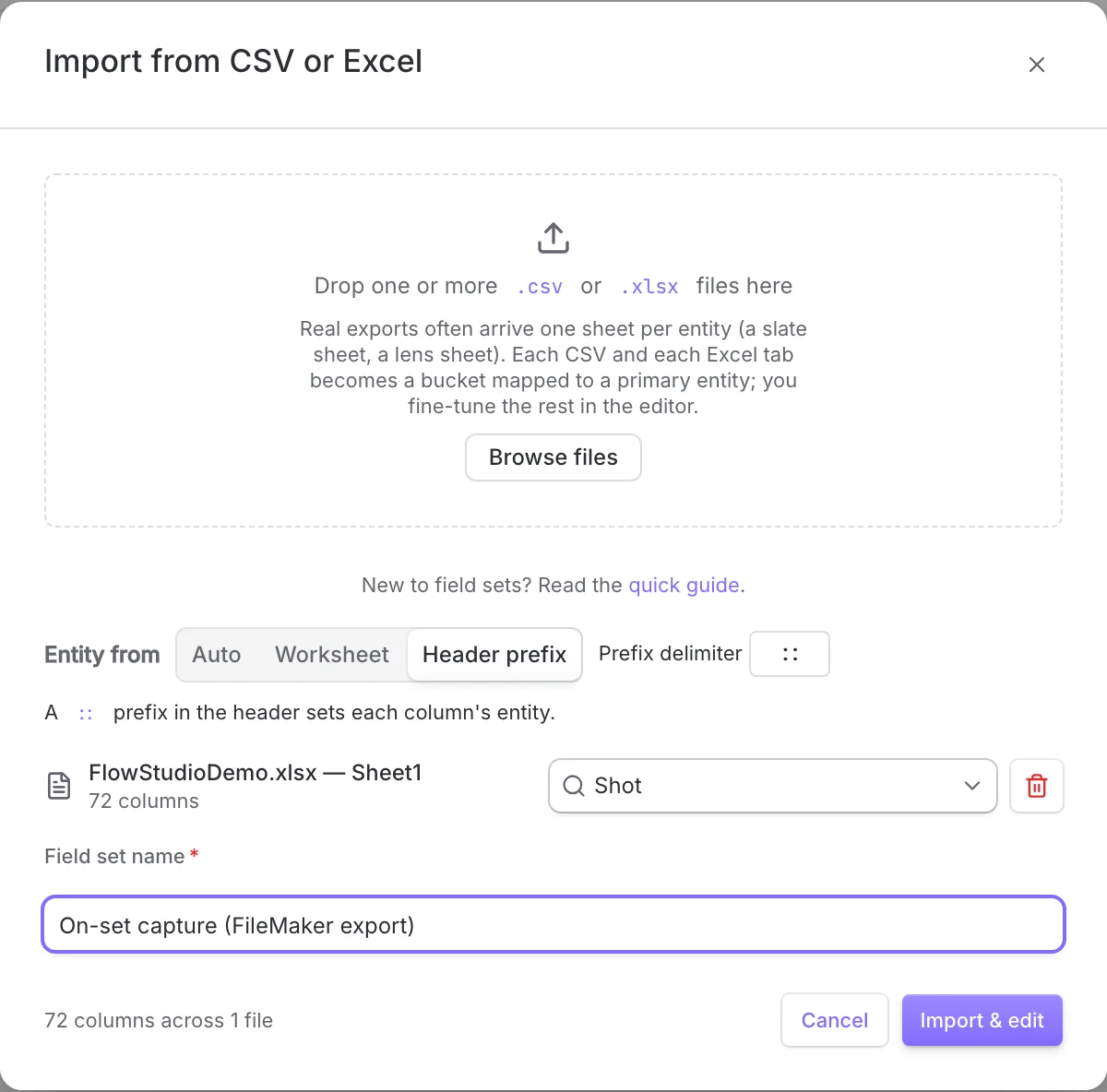
Drop a CSV or Excel file. A workbook with several tabs becomes one bucket per tab.
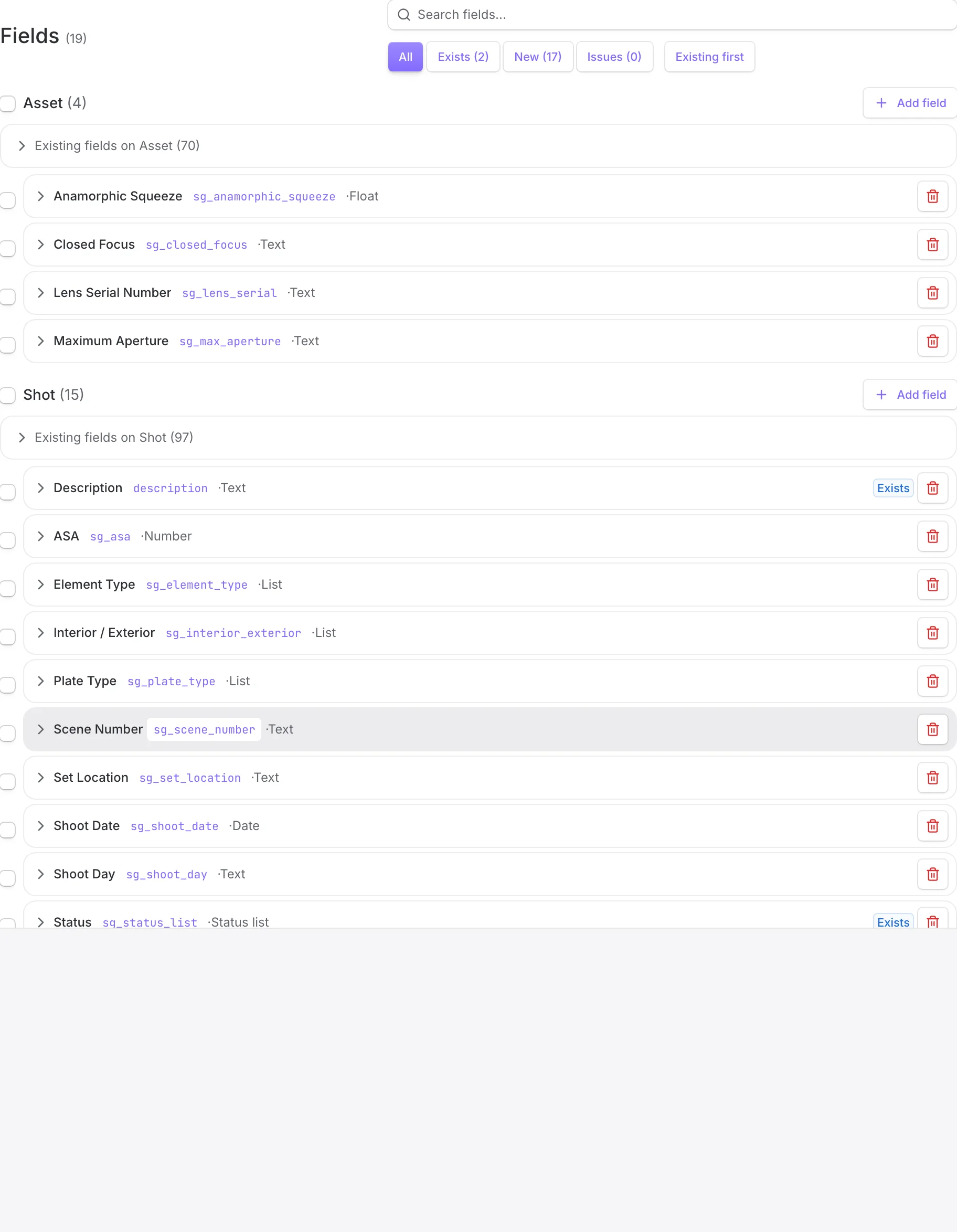
Filter by status: which fields already exist on the site, which are new, which have issues.
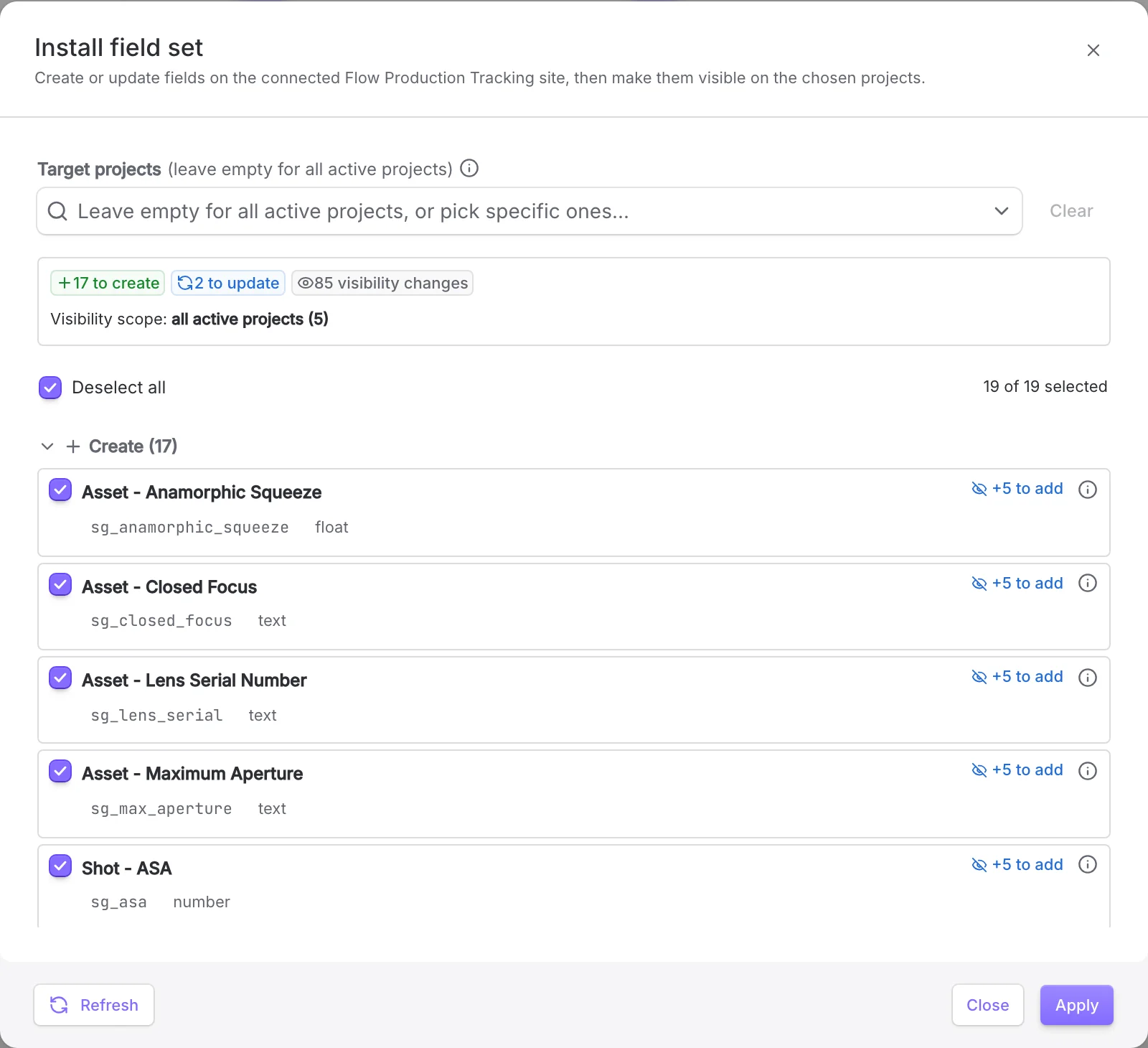
The plan, before anything runs.
Where it hits the limits of the API:
A few schema operations aren’t exposed by the REST API, so those steps stay manual. The tool is upfront about each one and deep-links you to the right Admin page:
- Enabling a custom entity. Install gates on it.
- Per-project status visibility isn’t writable over the API.
- Changing a field’s type is blocked by FPT itself, so type collisions are surfaced, not forced.
- The unique flag is set at creation and can’t change after, so set it before install.
- default_value is read-only on every type except list, status_list and checkbox.
We’ve written these up in the “Missing schema manipulation API endpoints” thread. If they’d help you too, adding your voice there helps.
What’s next:
This first tool is spreadsheet-in, fields-out. We’re building more of Studio Setup to give you fuller control over your site setup, entities and fields both:
- Reading an existing FPT project directly, so you can lift the fields (and later the pages) out of a project that already works and rebuild them on a new show.
- Pre-made field catalogs based on community standards like the VES On-Set Data guide, so a new show starts from vetted fields instead of a blank Admin page.
It’s admin-only and free while we work out what it should be. If you set shows up in FPT, point it at a real, messy spreadsheet and tell us where it falls over. That’s the feedback worth the most.
Write-up with screenshots: Install Flow Production Tracking fields from a spreadsheet